Which processes to automate first
- approvals: invoice payments, procurement, contracts, leave, business trips;
- requests: IT tickets, access rights, repairs, passes;
- sales: lead distribution, reminders for sales reps, contract and invoice from the deal card;
- HR: new hire onboarding, acknowledgement of regulations, offboarding with handover;
- reporting: recurring tasks, checklists, automatic reminders.
How automation works in Folck
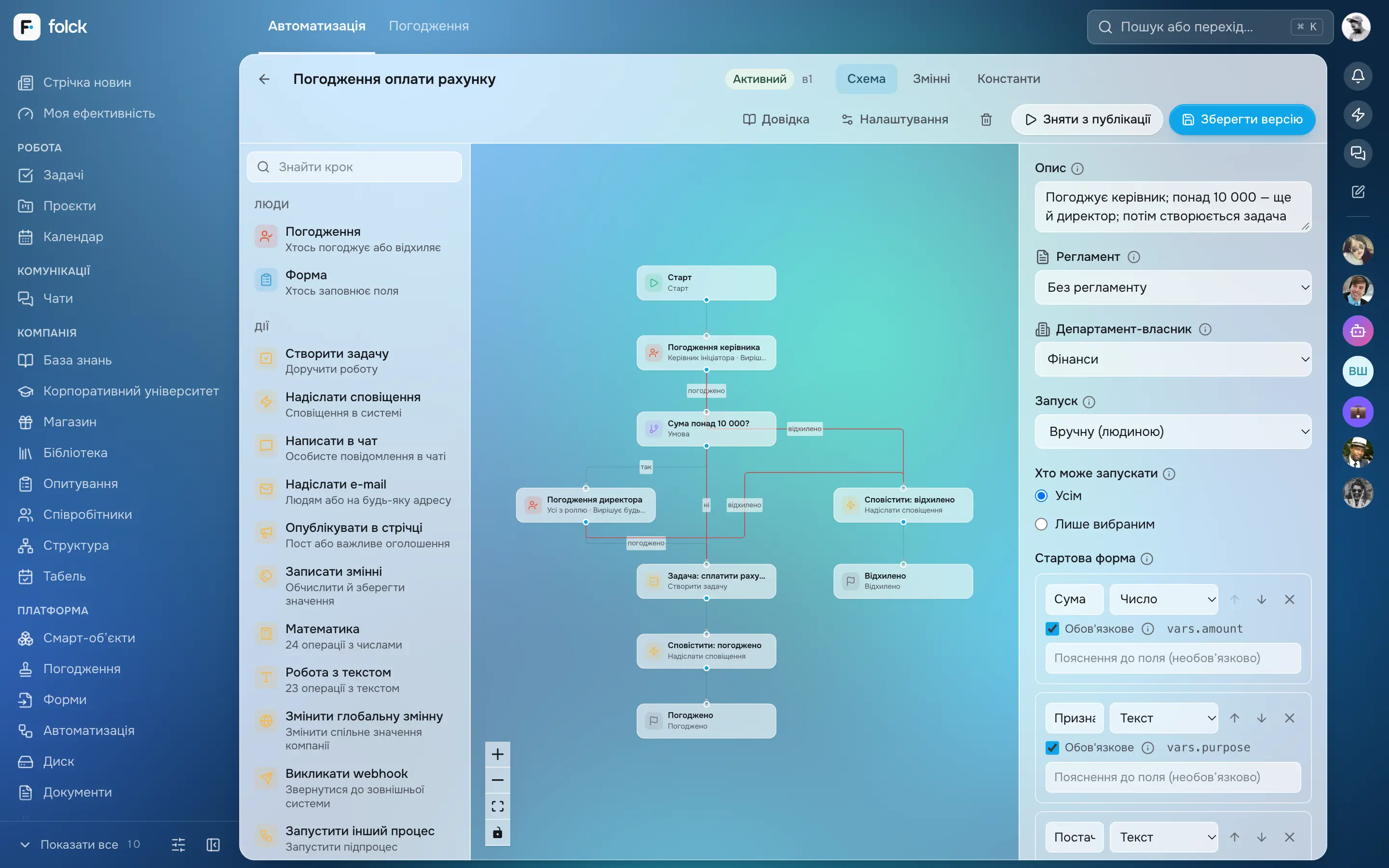
A process is assembled from blocks in a visual designer — with no coding:
| Block | What it does |
|---|---|
| Approval | anyone / everyone / in turn, deadline, action on overdue, rejection only with a comment |
| Form | asks a person to fill in fields — the data flows on through the process |
| Condition | branching: for example, an amount over ₴10,000 → to the director |
| Parallel branches | several people work at the same time; the process waits for all or for the first |
| Actions | task, chat message, email, feed post, deal change, document |
| Delay and schedule | “in 3 days”, “on day 5 at 09:00”, weekly or monthly |
Launch — manually from the process catalogue, on an event (new deal, stage change, submitted form, new employee) or on a schedule. Approvals can be given right from chat. During holidays, approvals automatically go to the stand-in.
Examples of automated processes
- Invoice payment: request with a form → manager → if the amount exceeds a threshold, the director → accounting → notification to the initiator.
- Leave: request → manager → HR → absence in the calendar → stand-in for approvals during the period.
- Contract: generated from the deal card → lawyer and finance in parallel → signing → the deal stage changes automatically.
- New hire onboarding: welcome, tasks for the mentor, courses and documents by day, a wrap-up meeting.
Integrations
A process can call external systems via webhooks, protected against calls into the internal network, and external systems can create leads, deals and tasks via the API. There is an integration with Google (Sheets, Gmail, Calendar).
Implementation stages
- the process is documented and optimised (documentation, optimisation);
- setting up the process, forms and permissions in Folck;
- a test with a pilot group;
- user training and launch;
- analysis of the execution log and refinement.